Record it once.
The write-up comes with it.
Record your screen and the numbered steps write themselves from your own clicks. Screen capture, screen recording and twenty annotation tools, on Windows.
- No account to capture
- Repro steps, written for you
- Redaction that removes pixels on stills
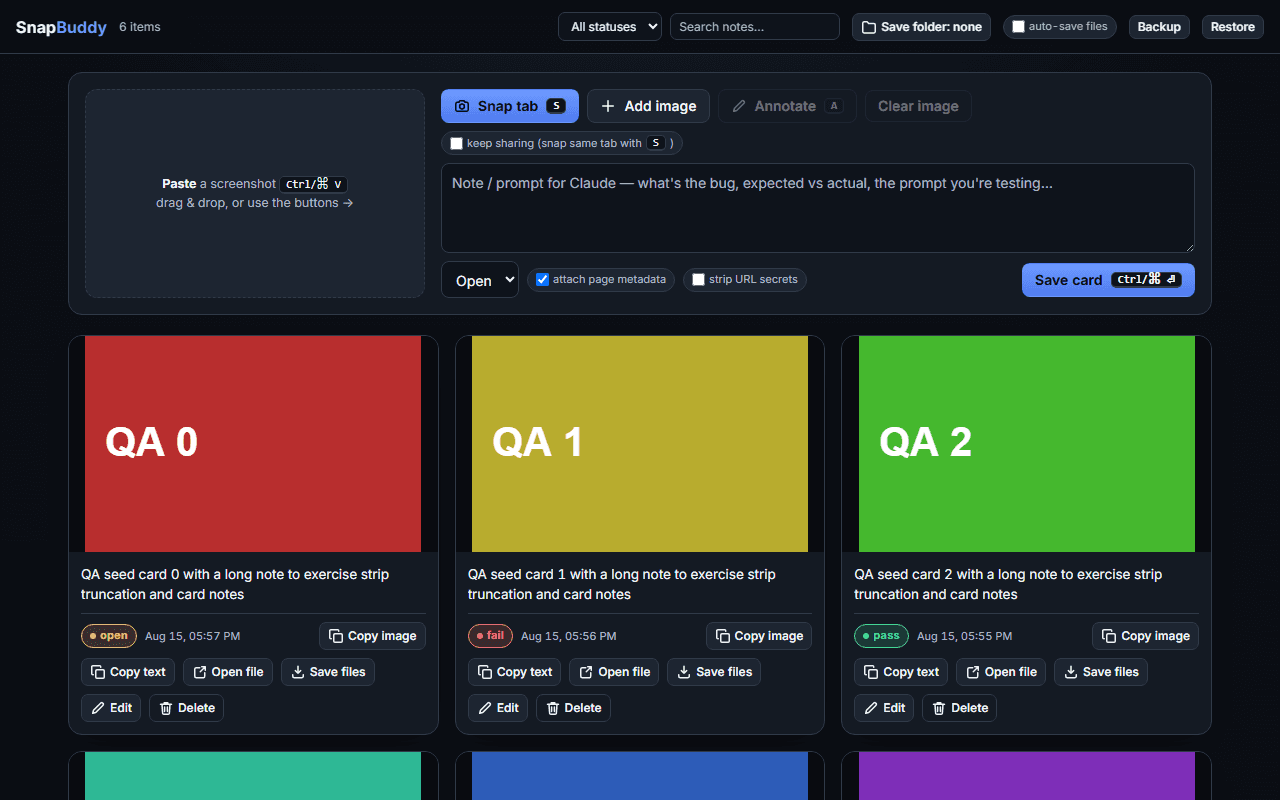
Capture without an account. Nobody counts who opens your link, and deleting a capture kills the link with it.
The editor
This is not a video.
It is the editor.
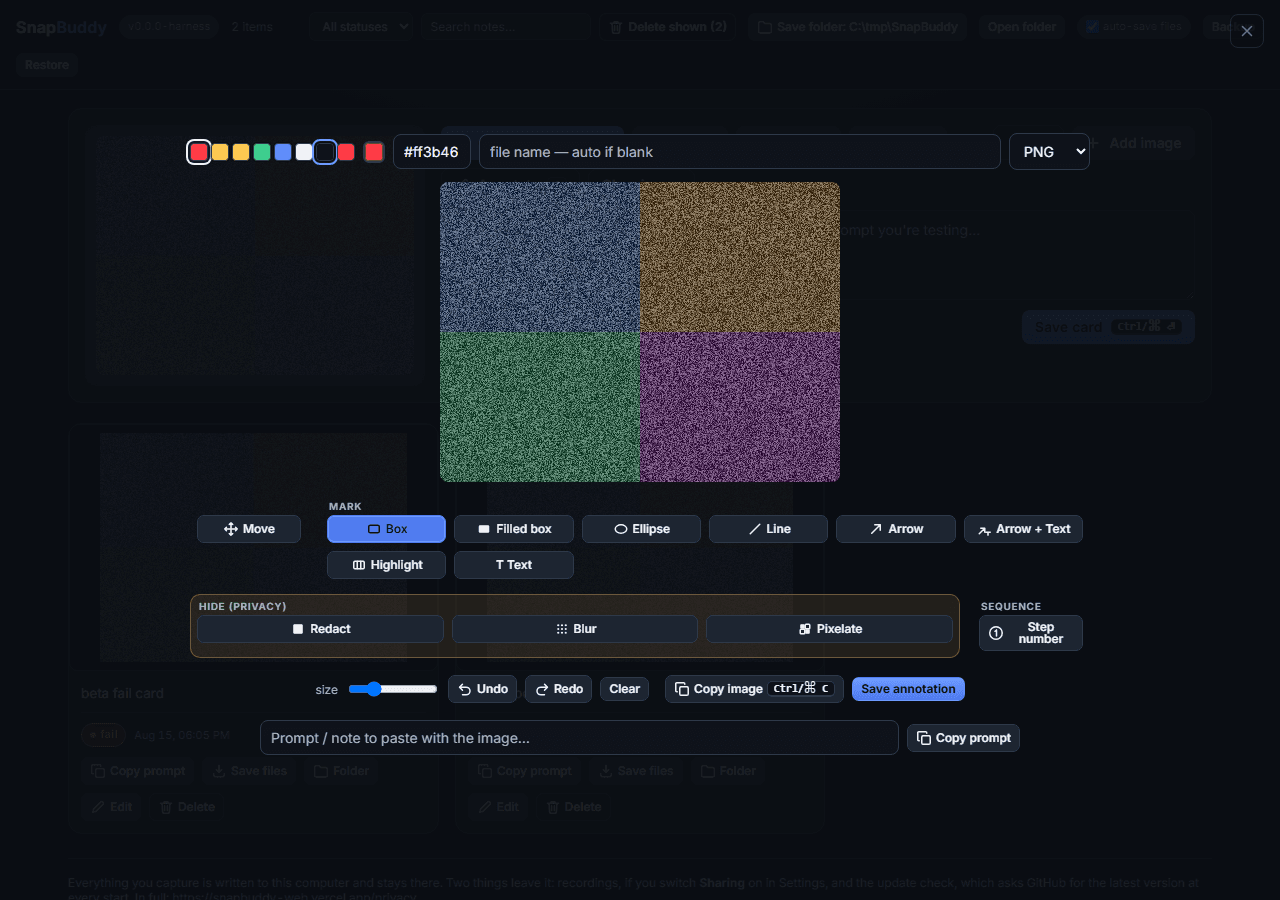
The same annotation engine the desktop app runs, in this page. Nothing to install, no account, nothing kept.
The editor runs in JavaScript, so it is not on this page without it. Everything it demonstrates is written above, and the desktop app runs the same editor with no browser involved.
Repro steps
Never write
“steps to reproduce”
again.
Record on Windows and every click is noted as you go, then numbered for you. The step list is built from clicks alone: no keystrokes, no window titles.
A report you save on Windows carries the machine details too: OS, app version, displays, locale, timezone. Put together on your machine, sent nowhere.
See a full bug reportThe window is a drawing, not a screenshot. Each ring is one step in the export beside it, twenty four rings for twenty five steps, because a window coming to the front happened nowhere and carries no position. Pick a line and the pointer goes to where that click landed.
The handoff
Every mark
lands twice.
Drawn, then written.
Draw an arrow and you get an arrow in the picture and a line in the report.
On a still, redact destroys the pixels underneath. Blur and pixelate only obscure them, so reach for redact when it matters. On a recording every mark is an overlay that rides on top of the file, and the markdown export says so in bold.
- Marks baked into the picture, and kept as data beside it
- Marks stay where you put them, on any screen size
- Name it once and every save path agrees
Sharing
Send the link now.
The upload can catch up.
A share link works the second you make it, while the file is still on its way. Paste a screenshot link in Slack, Teams or Discord and it unfurls into a real card.
Send a customer a marked-up screenshot without giving them an account. Put a password on it if the ticket needs one.
Take the link back when the ticket closes, and the card in the channel goes with it.
One person can use this alone. A team gets the same editor on every machine, and bug reports that all read the same way.
How sharing worksOn the board, the moment the upload lands
Link copied - https://app.snapbuddy.ai/s/k7Qz2mR9tLbW4xNfA6hJd3sVpYc
Pasted into a chat
https://app.snapbuddy.ai/s/k7Qz2mR9tLbW4xNfA6hJd3sVpYc
SnapBuddy
Cart total drops to 0.00 after the coupon
Opened before the bytes arrived
Cart total drops to 0.00 after the coupon
Where it runs
The same editor,
wherever you open it.
Twenty tools and one editor, on Windows, in the browser and on the web. Nobody relearns the toolbar when they change machines.
Drift between the copies fails the build, which is why.
Windows desktop
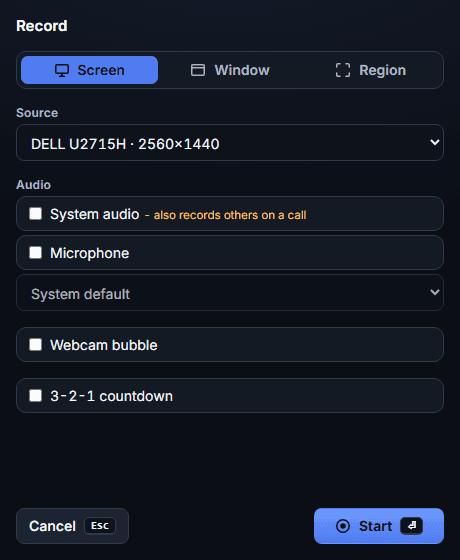
Capture the whole screen, a dragged region or a single window. Record with system audio and the microphone as separate choices, then keep the takes in a local library with a 90 day trash.
Browser extension
Snap the visible area of a tab from the popup and mark it up without leaving the browser. Every card stays in the browser's own storage until you upload it, with the same 90 day trash the desktop app has.
Web, nothing to install
Sign in and the web app captures, records and keeps your library. Or open /annotate and mark up a file with no account at all.
The roadmap
What we are
building next.
Three of them: Interactive demos, AI assisted tools, and Auto step guides. These are in the workshop, not in the app yet.
Everything on this page without a Coming soon badge ships today.
- Coming soon
Walkthroughs you will build by pointing.
Hotspots will land on the frames you already captured, branches will go wherever you send them, and reordering a step will not repoint anything at the wrong target.
- Coming soon
Every card will name itself. And find itself.
Every capture will get a real title instead of a timestamp, and search will read what is inside the picture, so “the checkout error from Tuesday” will find it.
- Coming soon
One recording in. Numbered steps out.
Every click will become a step: a full resolution frame, a caption written for you, and the cursor circled where it landed.
Questions
The questions you were
about to ask.
Eight straight answers about the product as it is today. Every one comes from what the app does, or from what it writes to your disk.
Where an answer names something that is not built yet, it carries the same Coming soon marker the rest of this site uses, and the sentence is written in the future tense.
Do I need an account?
Not to capture. Install the desktop app or the extension and start working straight away. Both keep their cards on the machine they run on, the extension in its own browser storage; nothing asks who you are until you choose to upload one.
Signing in is optional, and it is what turns on the cloud half: uploading a recording, sharing a link that opens in anyone’s browser, and whatever your plan includes. The desktop app has a Sign in button on its board. It opens your browser, you sign in there, and the app is handed back your email address and plan. Your password and any second factor stay in the browser; the app never sees them.
The web library always asks, because it is that cloud half. You sign in with your email address and a link sent to it, and what you see there is your own workspace.
Which machines does it run on?
The desktop app is built for Windows. Updates it offers you are signed, and the app carries the public half of that key, so one is checked before it installs.
Nothing else is tied to Windows: the extension runs in Chromium browsers and in Firefox, and the web library needs a browser and nothing more. If you want it on macOS, say so when you ask for access.
Does it work offline, and where do my files go?
The desktop app runs on your machine. Every capture is written to the folder you pick in Settings, and the board reads its cards from that disk rather than from a server.
One request goes out on its own: shortly after every start the app asks GitHub for the latest version. It discloses your IP address and not your version, because the same static file is fetched whatever you run and the comparison happens locally.
What actually leaves my computer?
Six things, and this is the list in full, the same one the privacy notice carries:
What leaves, in fullEverything you capture is written to this computer and stays there. Six things leave it: recordings, if you switch Sharing on in Settings; the screenshots and click positions in a walkthrough, when you make one from a recording, which goes through that same switch; the tags on a capture you have already uploaded, as you add or remove them, on that same switch; the marks you draw on a recording you have already uploaded, including any words you put on them, each time you add, retime or remove one, on that same switch; signing in, if you press Sign in, which opens your browser at the server address in Settings and posts a one-time code back to it in exchange for your email address and plan; and the update check, which asks GitHub for the latest version at every start. The last two do not go through the Sharing switch.
The sentence ends by naming the notice in full, which is the privacy notice.
Does redaction really remove the pixels?
On a still, redact destroys the pixels it covers, and the saved file keeps nothing underneath the mark. Blur and pixelate are emphasis tools: they draw a coarser copy of the picture, so the detail is obscured rather than gone. Use redact, or grey out for a softer look, for anything that must not be recoverable.
On a recording they behave differently. Every mark there is an overlay drawn at playback time, so the covered pixels stay in the video file until Burn in writes a separate annotated copy with the effects applied. When a mark is hiding something, share the burned in copy rather than the original.
Can I put a password on a share link?
Yes. The gate is a plain form post, so it still works in an email preview pane with no JavaScript running, and a link takes 10 attempts per 10 minutes before it stops accepting them.
A locked link gives nothing away while it waits: the unfurl and the tab title both read Password protected rather than the real name. A guessed, expired or deleted link lands on the same page as a dead one, so probing a link teaches a stranger nothing.
What happens when I delete something?
In the desktop app and in the web library it goes to the trash, where it can be restored for 90 days. Deleting kills its share link the moment you press it, and restoring brings the same link back.
The browser extension works the same way, with the same 90 days and the same Restore. It never deletes a file from your disk, though: anything it has written to your save folder or your Downloads stays there.
Is there an AI in it?Coming soon
Not in what you install. The numbered steps in an exported report are written from the interaction track the desktop recorder writes beside a take, which keeps mouse positions, clicks and window focus changes and deliberately keeps no keystrokes and no window titles. That is mechanical, and no model touches it.
An assistant that drafts the prose around those steps is coming soon, and it is marked as such wherever this site shows one.
Privacy
What leaves
this computer
The full list, and it is the same list the privacy notice carries:
What leaves, in fullEverything you capture is written to this computer and stays there. Six things leave it: recordings, if you switch Sharing on in Settings; the screenshots and click positions in a walkthrough, when you make one from a recording, which goes through that same switch; the tags on a capture you have already uploaded, as you add or remove them, on that same switch; the marks you draw on a recording you have already uploaded, including any words you put on them, each time you add, retime or remove one, on that same switch; signing in, if you press Sign in, which opens your browser at the server address in Settings and posts a one-time code back to it in exchange for your email address and plan; and the update check, which asks GitHub for the latest version at every start. The last two do not go through the Sharing switch. In full: https://snapbuddy.ai/privacy
Ready when you are.
One invite covers the Windows build, the browser extension and the web app.